

SaaS SEO Checklist: Turn Search Traffic Into Pipeline
A SaaS SEO checklist for turning search and AI visibility into trials and demos. Cover money pages, technical fixes, and how to measure the work.
Originally published: November 17, 2026 Last updated: November 17, 2026
A SaaS SEO checklist is a working list of the pages, technical fixes, and measurement steps that turn search and AI visibility into trials, demos, and pipeline. Use it to decide what to ship first, what to fix, and what to ignore until the pages closest to a signup are in good shape.
For a fuller picture of what SaaS SEO is, see our SaaS SEO guide. For the planning framework behind the work, see how to build a SaaS SEO strategy.
Key Takeaways
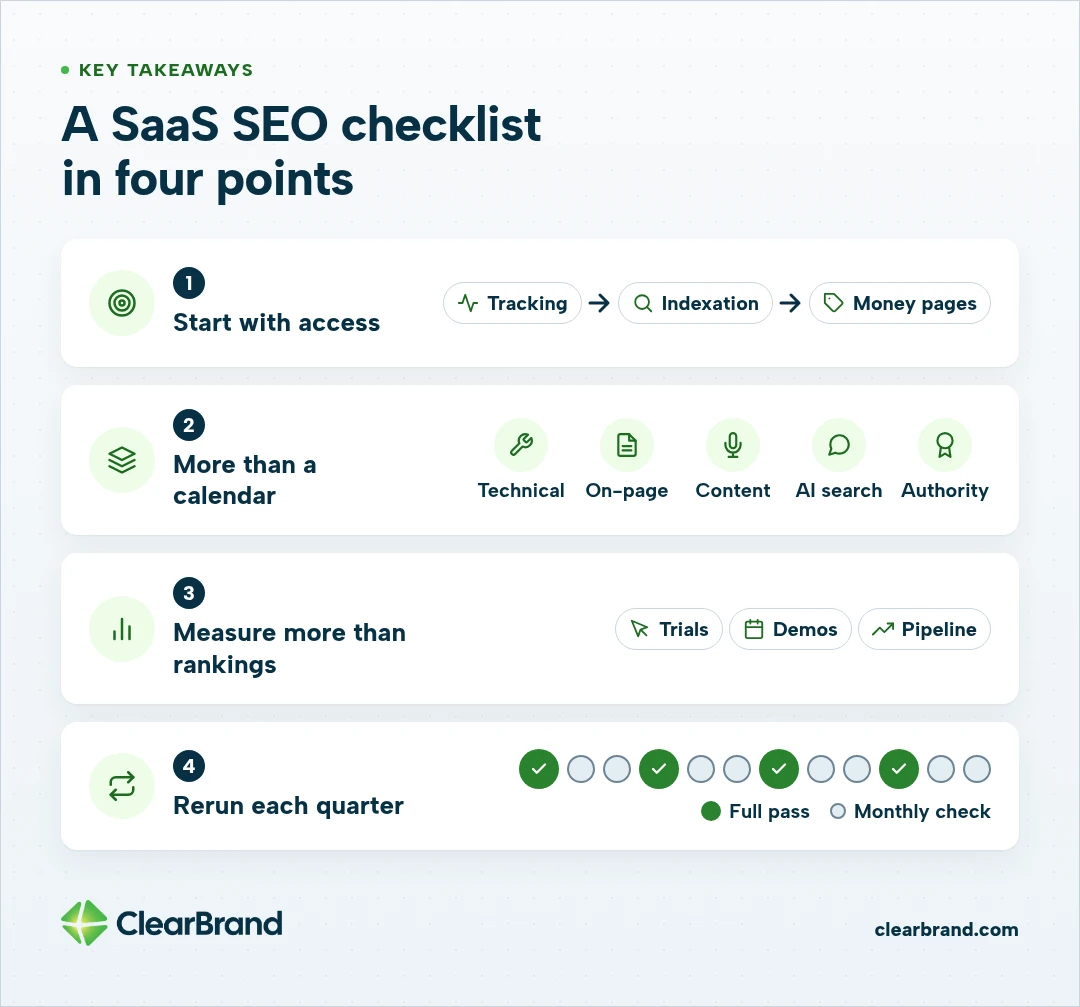
- Start with tracking and indexation, then the money pages buyers use to choose software: pricing, comparison, alternatives, use-case, and integration pages.
- A SaaS SEO checklist covers technical access, on-page work, interview-driven content, AI search visibility, and authority from brand mentions and backlinks, not just a publishing calendar.
- Measure organic trials, demos, and pipeline, not only rankings and sessions.
- Rerun a full pass each quarter, with a lighter monthly technical check, and an extra pass around a launch or migration.
- If you want a team to run this work with you, we focus on helping 7- and 8-figure companies. A free SEO audit is the first step.
The SaaS SEO checklist at a glance
Use this list as the working template. You can copy it into a doc or a sheet. You don’t need a separate PDF to run it.
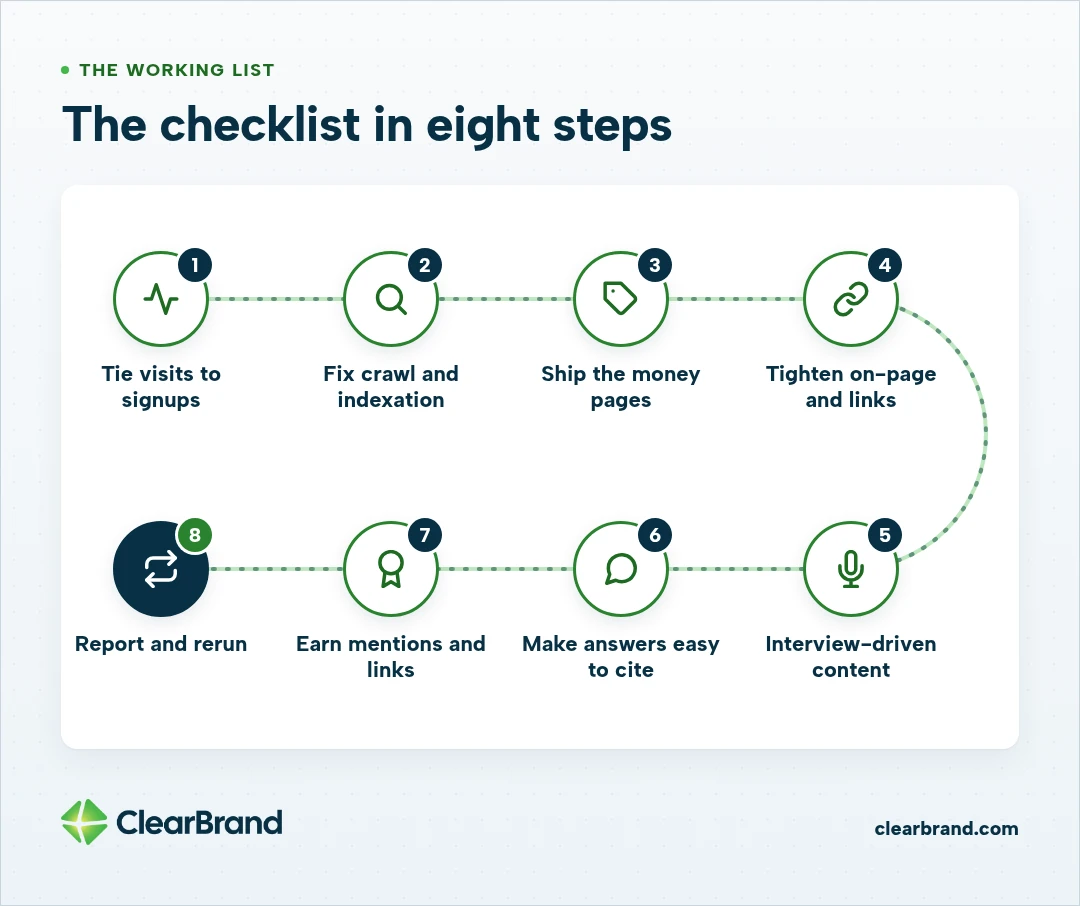
- Confirm you can attribute organic visits to signups, demo requests, and pipeline in GA4 and your CRM.
- Make sure Google can crawl and index the preferred version of every commercial URL, and keep app, login, and staging pages out of the index.
- Ship or repair the money pages: pricing, comparison, alternatives, use-case, and integration pages.
- Fix titles, first-sentence answers, internal links, and schema on those pages so a searcher and a crawler can both use them.
- Base supporting content on regular interviews with the people who know the product, and use the blog to support money pages rather than replace them.
- Structure those same pages so ChatGPT, Perplexity, Gemini, and Google AI Overviews can cite a clear answer.
- Earn relevant mentions and backlinks, and keep your brand and product facts consistent everywhere they appear.
- Report organic trials, demos, and pipeline, and rerun the checklist on a set cadence.
What a SaaS SEO checklist is
A SaaS SEO checklist is the repeatable set of checks that keeps a software site findable, useful, and tied to revenue. It’s a list you run when you launch a feature, refresh a pricing page, or plan the next quarter, not only after traffic drops.
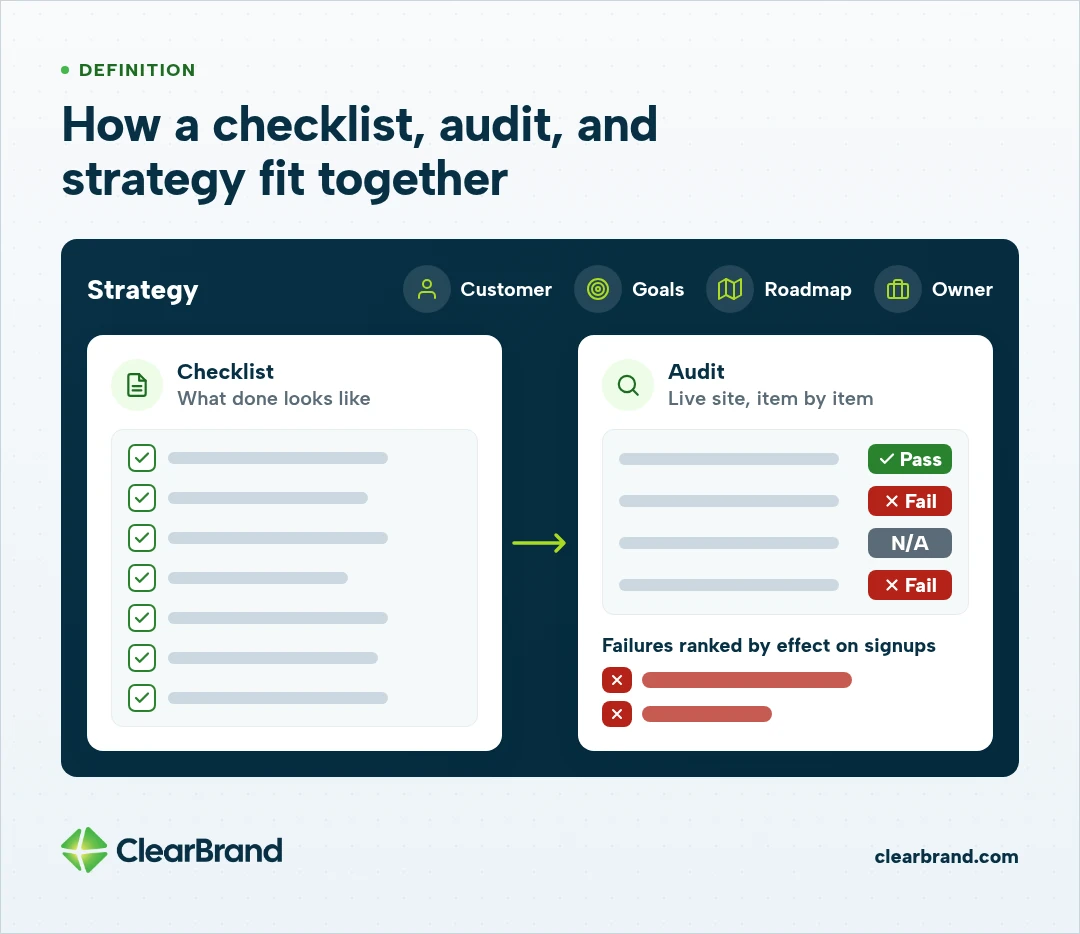
A checklist and an audit work together. The checklist defines what done looks like. An audit is a pass through the live site that marks each item as pass, fail, or not applicable, then ranks the failures by how much they affect signups.
A checklist is also narrower than a full SaaS SEO strategy. The strategy decides the ideal customer, the goals, the roadmap, and who owns the work. The checklist is the work itself.
Most teams already have a version of this list in a doc somewhere. The value is running it in the same order every time, so a missing pricing page or a noindexed comparison URL gets found before you brief another round of articles.
What to do first on a SaaS SEO checklist
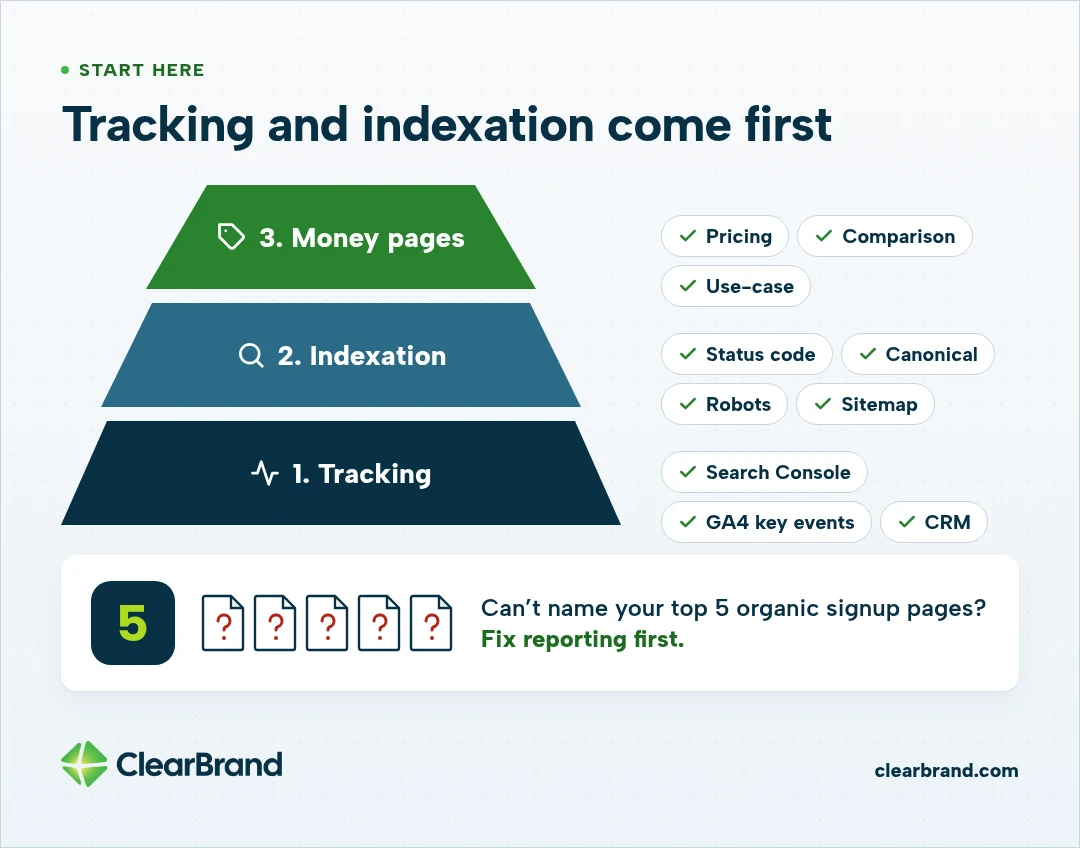
Do the tracking and indexation checks first. If a pricing page is noindexed, or a signup never fires as an event, later content work won’t tell you whether it helped.
Confirm you have a domain property in Google Search Console, not only a URL-prefix property that hides a www or http variant. Then confirm that trial starts, demo requests, or signups are recorded as key events in GA4 and reach your CRM with the landing page attached.
If you can’t name the 5 organic pages that produced the most signups last quarter, the reporting layer is the first failure to fix.
After that, inspect the preferred URL for each money page. Check the final status code, the canonical tag, the robots directive, and whether the page is in the sitemap you actually submit. A public pricing URL that still carries a staging noindex, or a comparison page that points Google at a generic product URL, won’t rank no matter how well it is written.
Once those two layers pass, move to money pages. A blog calendar can’t repair a missing comparison page or a pricing URL Google never indexed.
The money pages a SaaS SEO checklist should cover
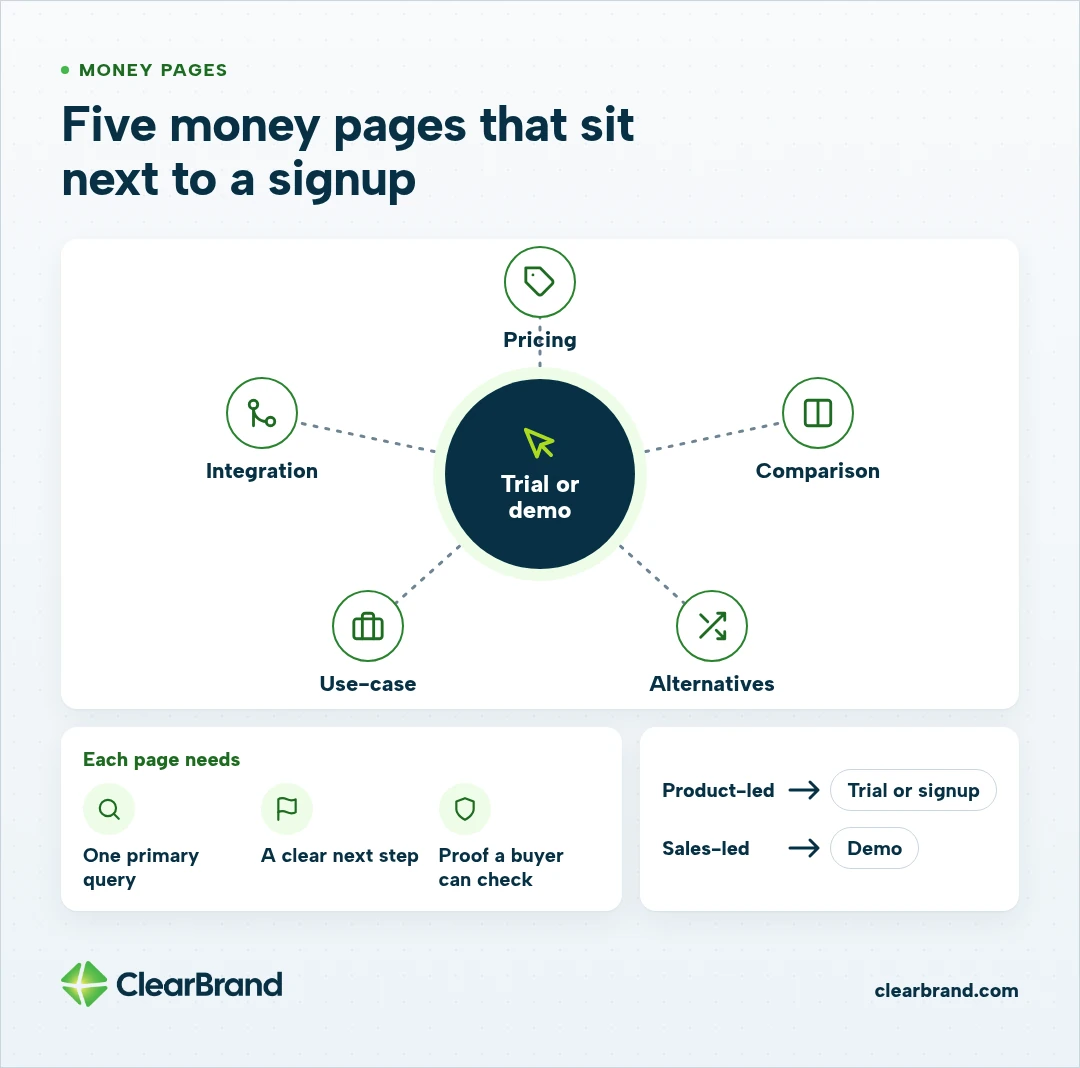
The pages closest to a buying decision are the ones this checklist exists to protect. These are the URLs a serious buyer opens while they build a shortlist, and they are usually the ones that produce trials and demos when search is working.
A pricing page should answer how much it costs, or explain what drives the price when you sell by quote. A page that only asks visitors to contact sales can send that searcher to a review site or to a competitor who shows a number.
Comparison and alternatives pages should cover the tools buyers already have in a shortlist. Name the other product, say who each option fits, and be willing to mention a limitation of your own. For a deeper look at how to build them, see SaaS comparison and alternative pages.
Write use-case pages for a job, industry, or team, not only a feature name. Integration pages should say what the integration does, what it doesn’t do, and the next step. A thin paragraph repeated across dozens of integration URLs usually just creates maintenance work.
Each of those URLs should have one primary query, a clear next step, and proof a buyer can check: a screenshot, a short customer example, or a constraint you are willing to put in writing. If two of your URLs would give a searcher the same answer, they should be one page.
How the checklist changes for product-led and sales-led teams
The checks stay the same for both, but the action the page asks for changes.
Product-led teams usually point high-intent pages to a trial or signup. Sales-led teams usually point them to a demo or a conversation. Hybrid teams can offer both, with one action kept primary so the page doesn’t ask for two equally loud commitments.
Technical SEO and indexation checks
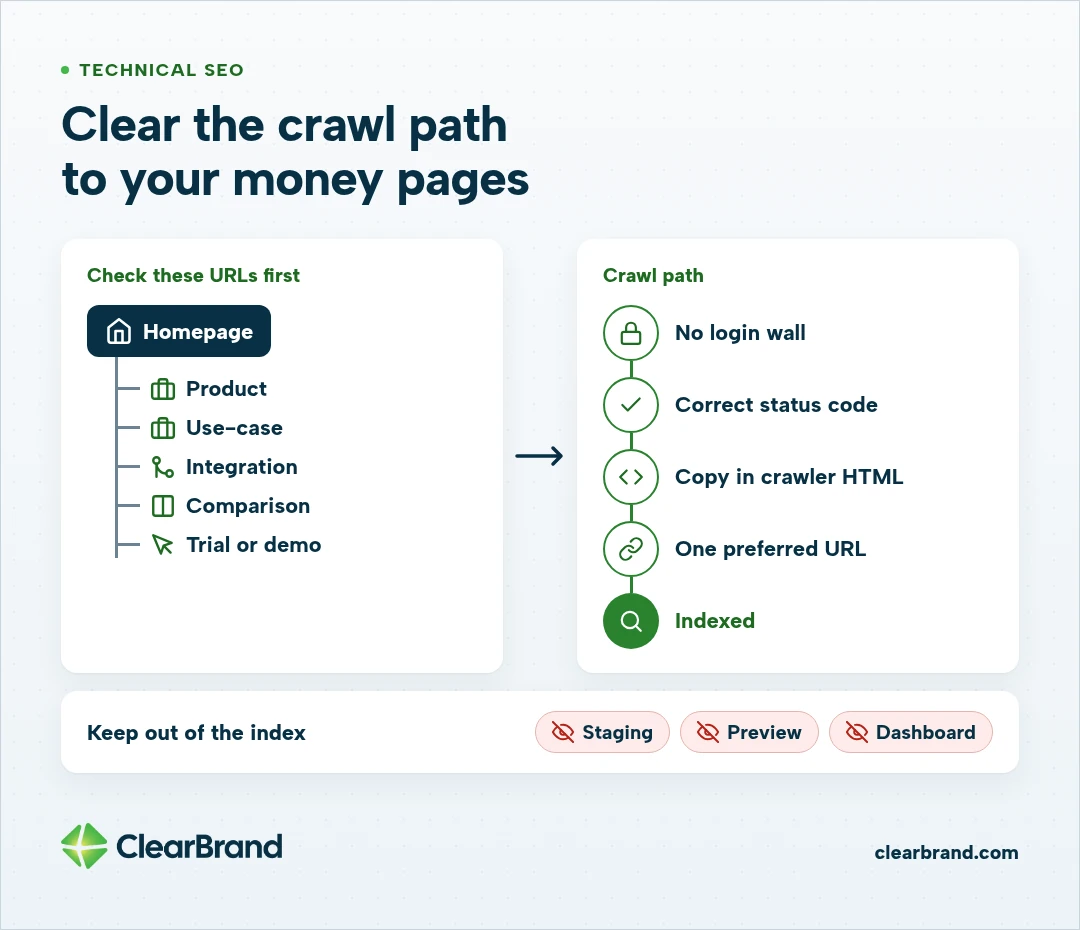
Technical SEO on a SaaS site is about access to the pages that support a buying decision. A large issue count in a crawl report doesn’t tell you what to fix first. Start with the homepage, a product page, a use-case page, an integration page, a comparison, and the trial or demo URL, then fix what blocks those first.
Confirm that public product, pricing, and comparison URLs don’t require a login. Watch for soft errors, where the page looks fine but sends the wrong status code.
Keep staging, preview, and dashboard URLs out of the index. App and login pages belong in robots.txt or behind a noindex, not in the same sitemap as your pricing page.
Compare the HTML a crawler receives with the rendered page, especially on JavaScript-heavy product templates. The heading, the explanatory copy, and the links should be present without a click a crawler is unlikely to make. Feature pages can look complete in a browser and still arrive to Google as an empty shell.
Give each commercial URL one preferred version. Redirect or canonicalize duplicates caused by trailing slashes, parameters, or www variants.
Inclusion in a sitemap helps discovery. It doesn’t guarantee indexing, so use the URL inspection tool when a money page stays excluded.
Core Web Vitals matter most on the pages where someone starts a trial or a demo. Those pages should be usable on a phone, with a layout that doesn’t shift as images load. Treat a lab score as diagnostic evidence, since it won’t make the page rank on its own.
On-page and internal linking checks
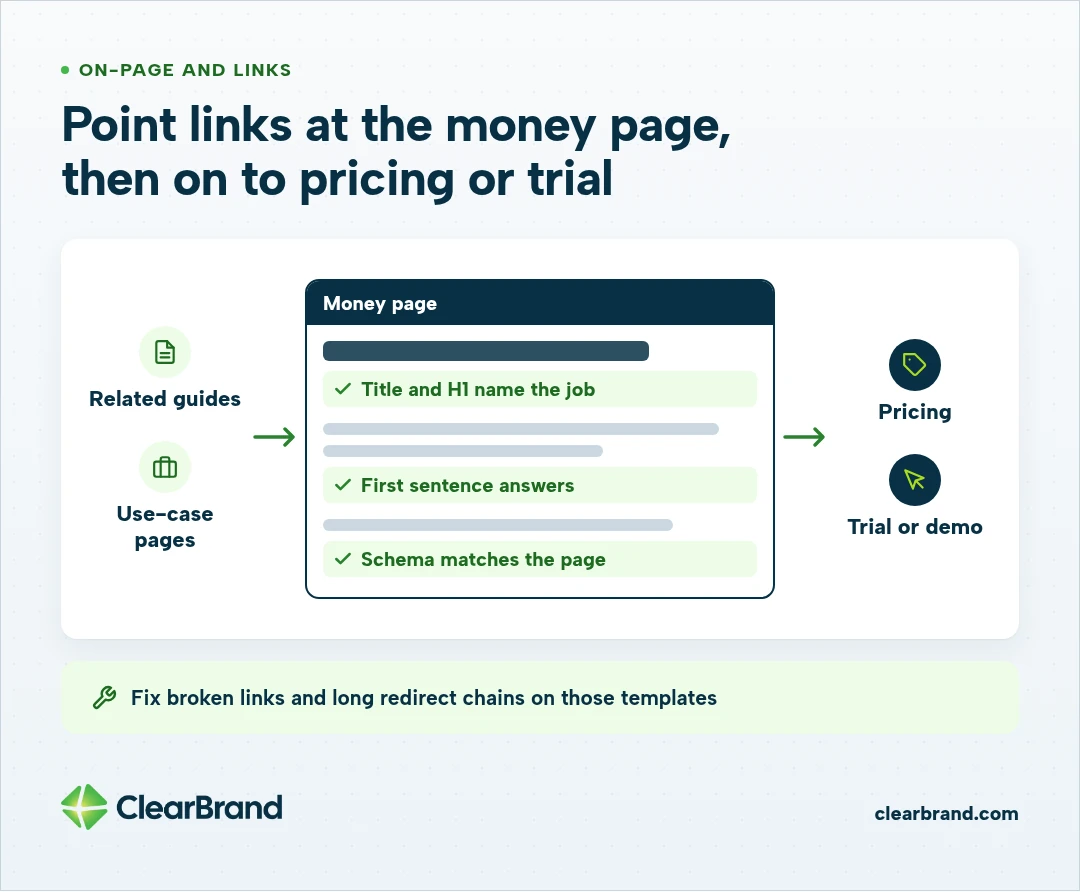
On each money page, the title, H1, and first paragraph should name the job in the buyer’s words. If the query is a comparison, the title should sound like a comparison rather than a brand story.
The first sentence under each H2 should answer the question in that heading, so an AI Overview or a featured snippet can lift it cleanly. Keep the facts that support that answer on the same page, in text a crawler can read, not only in an image or an accordion that never renders in the HTML.
Add schema only when it matches the visible text. FAQPage belongs on a page that really has FAQs, SoftwareApplication belongs where you describe the product, and BreadcrumbList helps when the visible breadcrumbs match the markup.
Don’t invent a FAQ or a rating in the markup if you don’t show it on the page.
Then look at the links. Related guides and use-case pages should point to the commercial URL, and that URL should point onward to pricing or the trial or demo. A commercial page with no internal links is hard for people and crawlers to find, even when the content is strong.
Broken links and long redirect chains are worth cleaning up on those same templates before you worry about the rest of the blog.
What content belongs on a SaaS SEO checklist
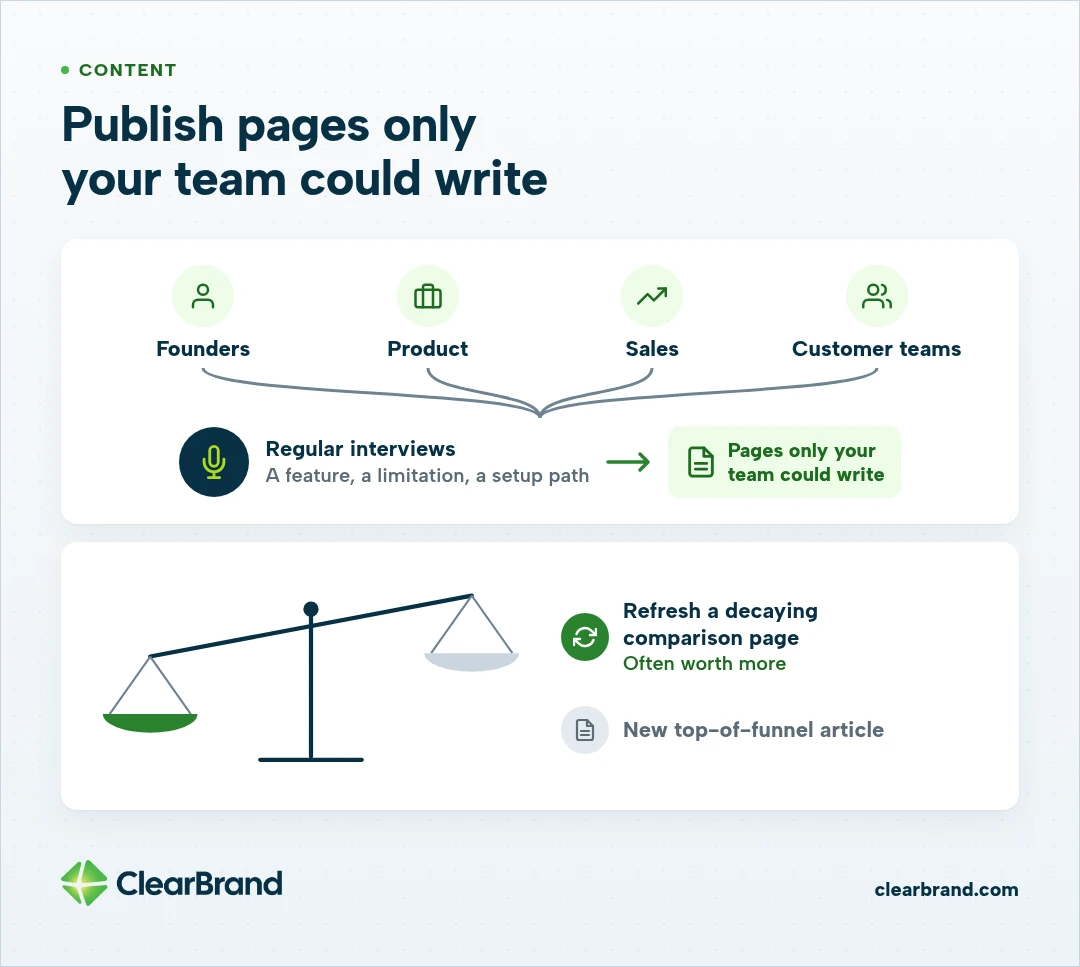
Publish pages only your team could write, built from the way you actually explain the product.
The most useful copy comes from regular interviews with founders, product, sales, and customer teams, so the page captures how they actually explain a feature, a limitation, or a setup path. That is the content we write at ClearBrand: high-quality pages built from those conversations, on top of sound technical SEO, and supported by authority from brand mentions and backlinks.
Use the blog to support money pages. A good post explains a job, answers a comparison question, or sends a qualified reader to a use-case or pricing URL. A post that never links to a page where someone can start a trial still has a step left.
Refresh pages that already attract impressions or convert. A decaying comparison page, with outdated plans or a missing competitor, is often worth more than a new top-of-funnel article. Assign one primary query to each URL and check Search Console when two pages split the same term.
You can start with a small set of pages that tell the truth about the product, stay current when the product changes, and sit next to a signup.
AI search and AEO checks
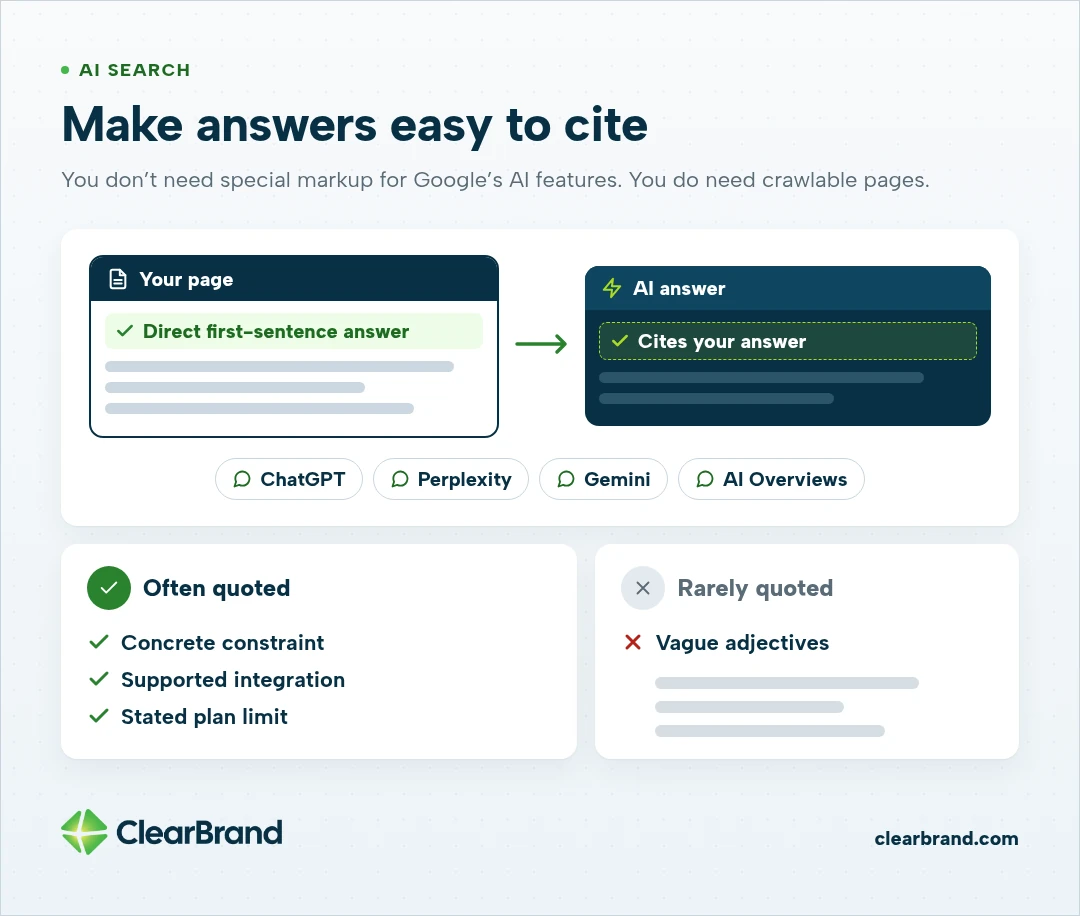
Buyers already ask ChatGPT, Perplexity, Gemini, and Google’s AI Overviews which tool to use. That work is sometimes called answer engine optimization, or AEO. The same money pages and guides on this checklist are the pages those tools can cite, if the answer is easy to lift.
Put a direct answer in the first sentence under the heading. Keep facts a model might quote in the open: who the product is for, what it does, and any pricing or plan details you are willing to publish. Vague adjectives rarely get quoted, while a concrete constraint, a supported integration, or a stated plan limit often does.
Keep your product name, category, and other entity facts consistent on your site and on the profiles other sites already host. If one page calls you a billing platform and another calls you an accounting tool, you make it harder for a model to name you with confidence.
You don’t need special markup for Google’s AI features. You do need crawlable pages and answers that still make sense when they are quoted on their own.
Report citations next to leads, not instead of them. For a closer look at that reporting, see AI search visibility metrics for SaaS.
Authority from mentions and links
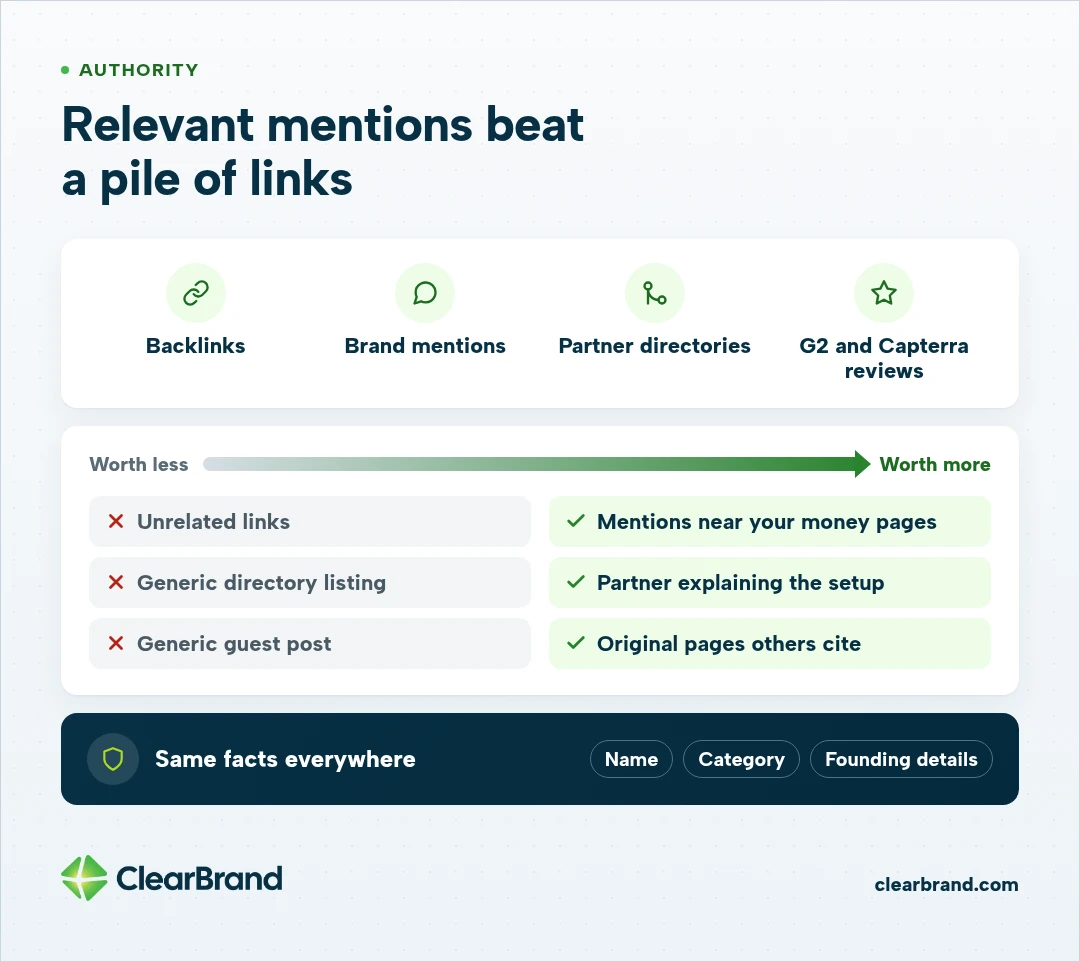
Authority on this checklist means other sites vouch for you in ways a buyer and a search engine can see. Relevant backlinks, brand mentions, partner or integration directories, and reviews in places your buyers already trust, such as G2 or Capterra, all count.
Prioritize mentions that sit next to your money pages or your category, not a large volume of unrelated links. An integration partner that describes what the joint setup actually does is worth more than a generic directory listing with no context.
Original pages other writers can cite, such as a clear technical explanation or a useful study, do more than a generic guest post. We go deeper on that work in SaaS link building.
When those mentions appear, keep the facts about your company consistent. Conflicting names, categories, or founding details make it harder for Google and AI tools to trust the entity. And if a buyer searches your brand after seeing you in an answer, the page they land on should match the claim that got them there.
How to measure a SaaS SEO checklist
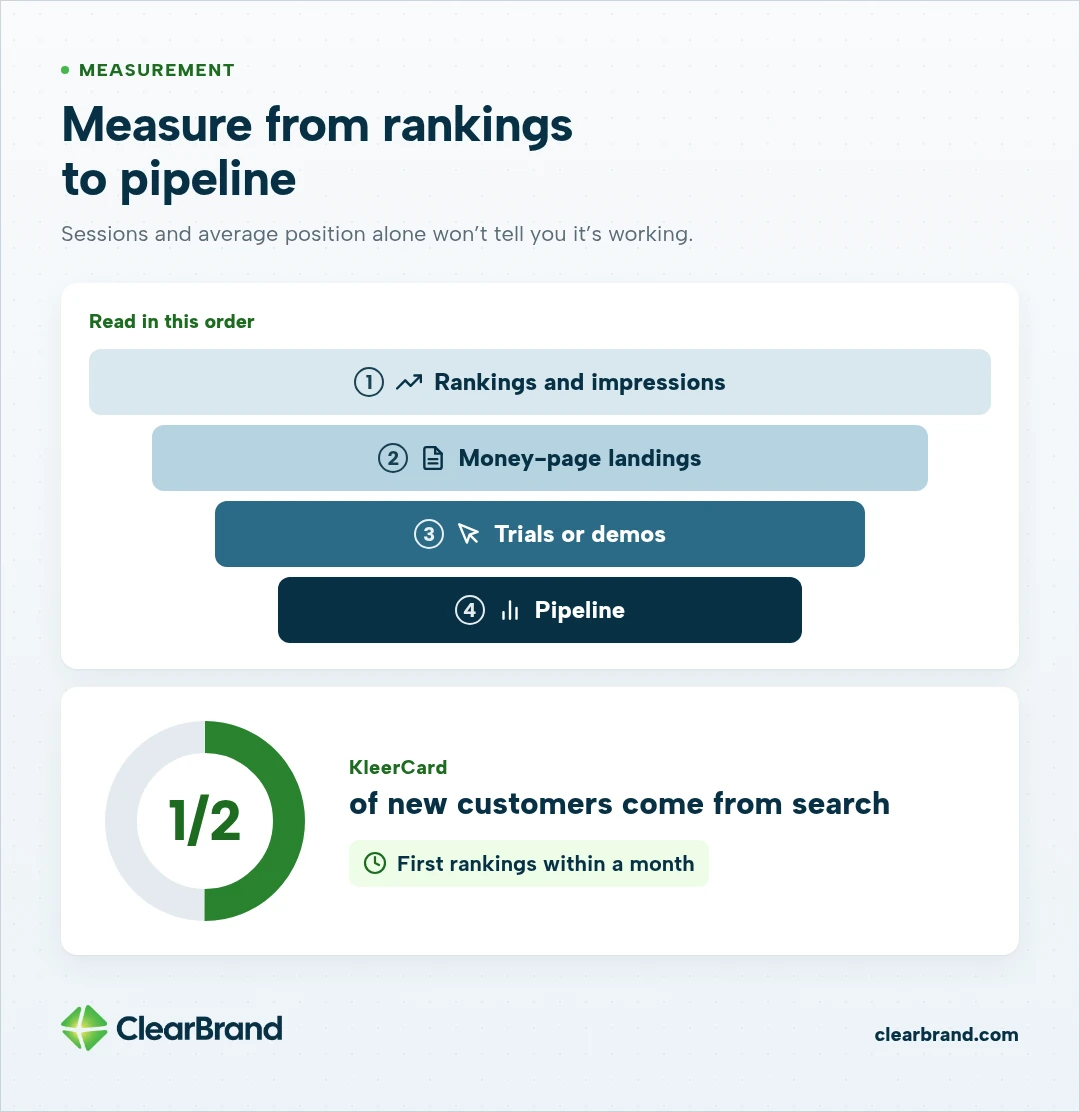
Sessions and average position alone won’t tell you whether the checklist is working.
Track rankings and impressions on the commercial terms you chose, organic landings on money pages, trial starts or demo requests from those landings, and the pipeline your CRM can attribute to organic search. Read those numbers in that order. Rankings usually move first, and signups and pipeline show whether the work is paying off.
Last-click will undercount. A buyer who reads an alternatives page in March, returns from a branded search in June, and signs in July will often show up as direct or branded. The alternatives page still did its job, so look at the pages that appear early in deals you actually closed.
KleerCard, a fintech company that offers credit cards with built-in expense management for churches, is a useful picture of what this work can produce. Search now accounts for half of its new customers.
Its first rankings arrived within a month on high-intent searches in its niche, and the site now outranks billion-dollar competitors. Read the KleerCard story.
Rerun a full checklist pass each quarter. Do a lighter technical and indexation check monthly, and run an extra pass before and after a major launch, redesign, or migration, when new URLs and redirects are easy to get wrong.
When to run this checklist yourself, and when to get help
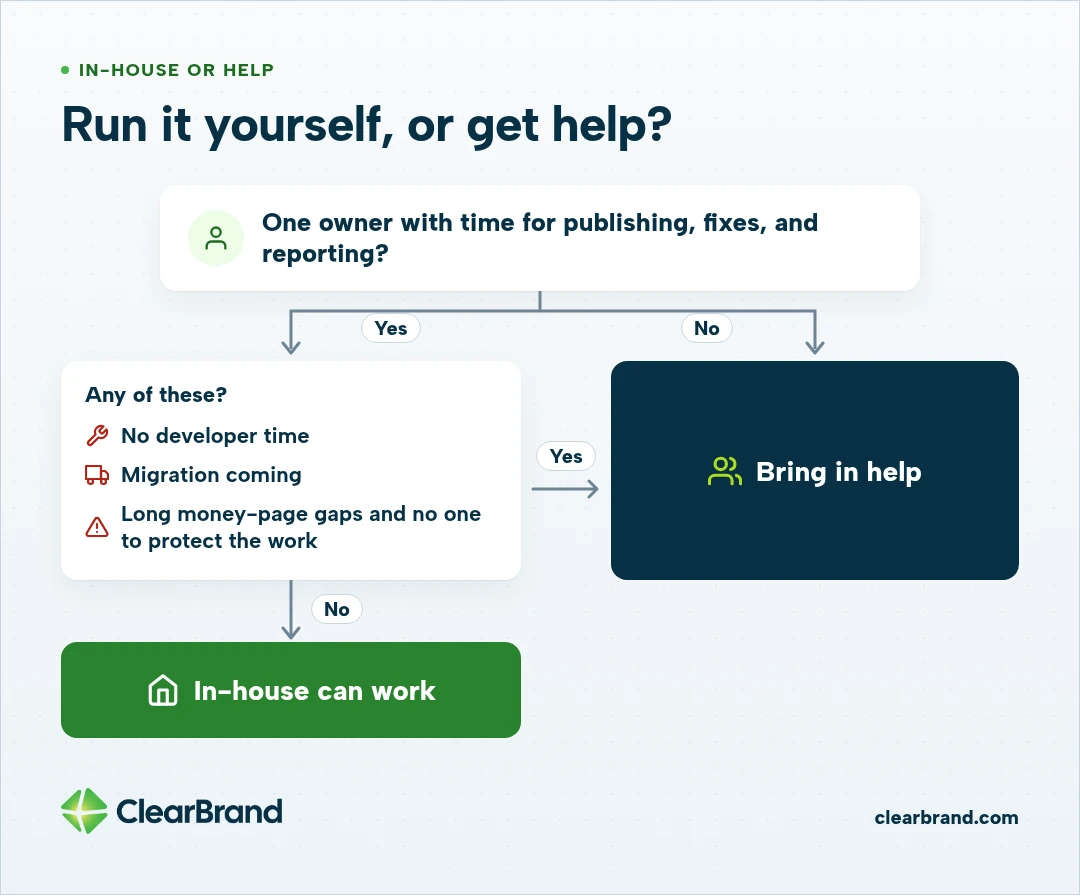
A small team can run this checklist when one person owns publishing, technical fixes, and the reporting that ties pages to signups, and when that person has time to keep the pace. If that describes your team, in-house can work well.
Help is worth bringing in when the failures need developer time you can’t get, when a migration is coming, or when the list of money-page gaps is long and no one can protect the work from other priorities. The SaaS SEO agency vs in-house decision turns on that capacity, not on whether someone on the team knows SEO.
We focus on helping 7- and 8-figure companies. If you want a team to run SaaS-specific execution with you, see our SEO for SaaS companies, or start with a free SEO audit.
SaaS SEO checklist FAQ
What is a SaaS SEO checklist?
A SaaS SEO checklist is a working list of the pages, technical fixes, and measurement steps that turn search and AI visibility into trials, demos, and pipeline. It tells a team what to ship first and what done looks like on the URLs closest to a signup.
What should a SaaS company do first for SEO?
Start by confirming that organic visits can be tied to signups and that Google can crawl and index the preferred version of each commercial URL. Then ship or repair pricing, comparison, alternatives, use-case, and integration pages before you scale the blog.
What belongs on a SaaS SEO checklist?
A useful checklist covers tracking, indexation, money pages, on-page and internal linking, interview-driven content, AI search visibility, relevant mentions and backlinks, and reporting on trials, demos, and pipeline. It should be short enough to rerun each quarter.
How is a SaaS SEO checklist different from an SEO audit?
A checklist defines the standard you want the site to meet. An audit is a pass through the live site that marks each item as pass, fail, or not applicable, then ranks the failures by their effect on signups. Most teams use the same list for both.
How often should you run a SaaS SEO checklist?
Run a full pass every quarter, with a lighter technical check each month. Add an extra pass before and after a product launch, a website migration, or a major redesign, when new URLs and redirects are easy to get wrong.
How long does SaaS SEO take to show results?
Early ranking movement on winnable commercial terms can appear within a month, as it did for KleerCard. Treat around month 6 as a checkpoint for repeating trials or demos, knowing every site moves at its own pace.
Can you do this checklist in-house?
A team can run this checklist in-house when someone owns the publishing pace, the technical fixes, and the reporting that ties pages to signups. If that work would sit across several part-time jobs, or a migration is coming, an agency is often the steadier way to keep the checklist moving.
Start with the pages that already sit next to a signup
If you run only one pass this month, start with tracking, indexation, and the money pages you already have. That is the shortest path from a checklist to a signup.
If you would like a partner to run this work with you, get your free SEO audit. Your free SEO audit is a full review of your site and an initial 90-day strategy. You keep it whether you work with us or not.