
Updated June 2026.
Webflow is worth it if you want a fast, beautiful site your team can edit without a developer, and you can clear a learning curve. It fits SaaS, B2B, and service businesses that care about design and want hosting built in. It is not worth it for large-catalog ecommerce or sites you never plan to update.
I run ClearBrand, and we build every client site on Webflow. We did not start there. For years we built on WordPress.
We tested Webflow on a handful of client sites for about two years, then moved everything across. I learned the difference by running both platforms day to day, not by reading a feature list.
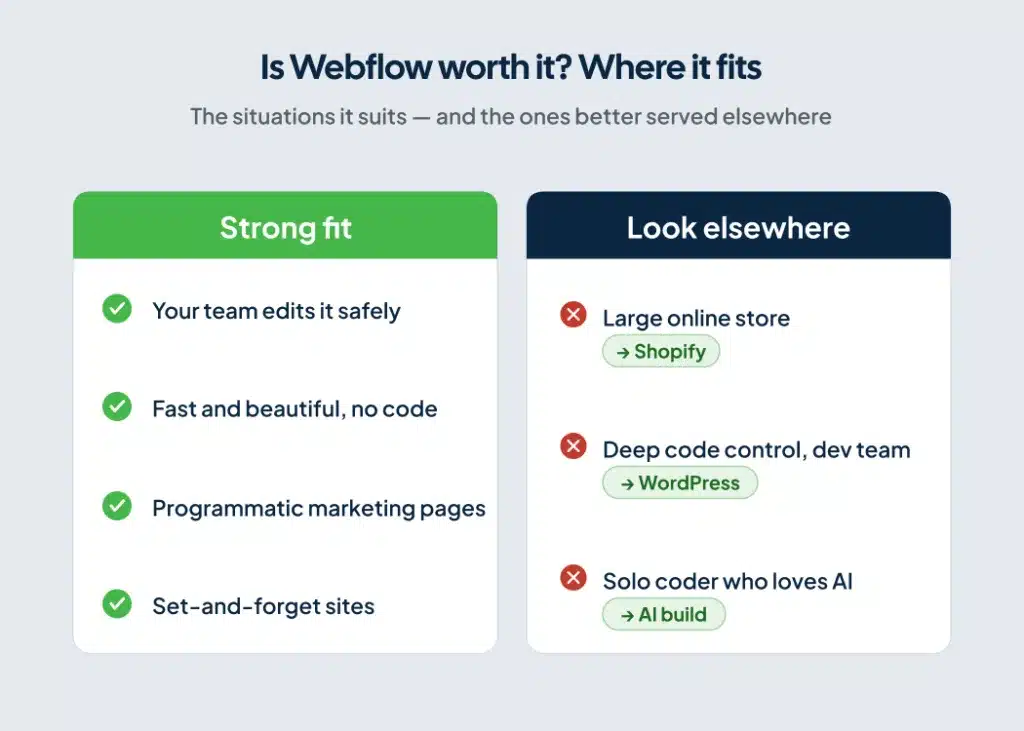
Start with where you fit.
| Your situation | Webflow fit |
| A site your team can edit without breaking it | Strong |
| Fast and beautiful without hand-coding | Strong |
| Programmatic, scalable marketing pages | Strong |
| A set-and-forget site you never update | Strong |
| A large online store with many products | Weak. Look at Shopify |
| Code-level control with a developer team | Weak. Look at WordPress |
| You’re a strong coder and want to do it all yourself | Weak. Look at AI |
Webflow, and what your money buys
Webflow is a visual web platform. You design the site in a drag-and-drop interface, manage content in a built-in CMS, and host it on Webflow. One platform handles all three.
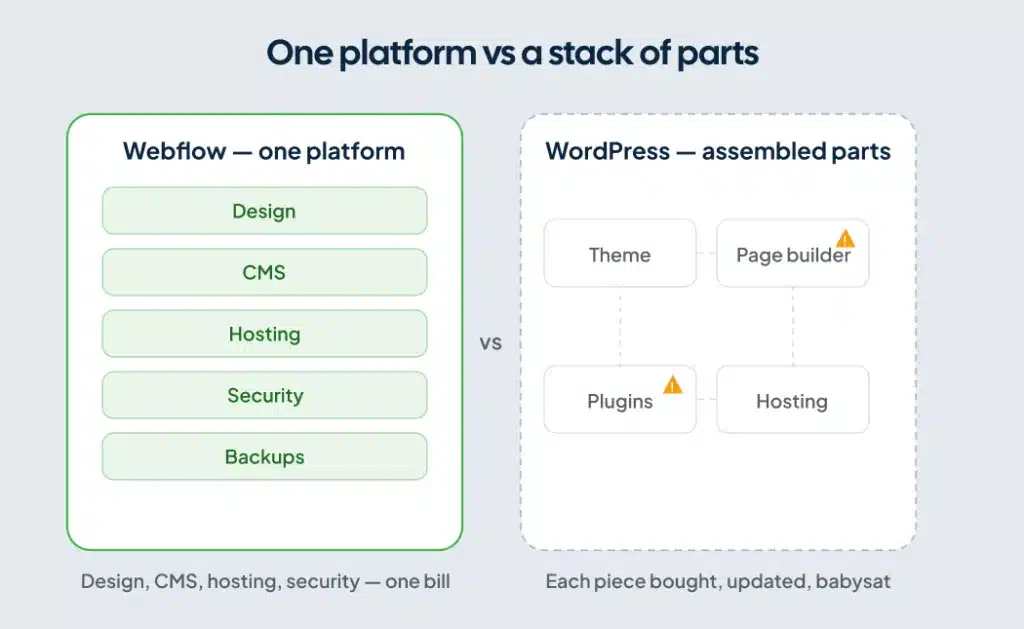
WordPress works the other way. It hands you an empty container, and you fill it. You add a theme, a page builder, plugins, and separate hosting. Each piece is a separate purchase and a separate thing that can break.
That assembly is the cost most people miss. Every plugin, theme, and builder needs updates. After each update, someone checks that nothing broke. One bad plugin can take down the site or wreck the design.
There is also a design-versus-speed trade on WordPress. The fast builders are the restricted ones. GeneratePress, for example, builds a very fast site, but it cannot produce the design most of our clients want. Unless you hand-code, better design almost always means a slower site.
Webflow folds design, the CMS, hosting, security, and backups into the platform. There is less to stitch together and far less to babysit.
For the full comparison, read our breakdown of Webflow versus WordPress.
Webflow pricing in 2026 after the May update
Webflow changed its pricing on May 13, 2026, so older reviews list plans that no longer exist. Here is the current structure.
| Plan | Price | Best for |
| Starter | Free | Testing on a webflow.io subdomain, no custom domain |
| Basic | $15/mo billed yearly ($25 monthly) | Static marketing sites, up to 300 pages, no CMS |
| Premium | $25/mo billed yearly ($39 monthly) | Content sites, 20,000 CMS items, 40 CMS Collections |
| Team | $2,500/mo, annual contract | Growing teams: 100 CMS Collections, 10 seats, Localization, AEO agents |
| Enterprise | Custom | Large orgs needing governance and advanced security |
Webflow merged the old CMS and Business plans into the new Premium plan and raised the included limit to 20,000 CMS items. It also updated Basic and added the Team plan for companies that have outgrown self-serve but are not ready for Enterprise. You can read the details in Webflow’s own pricing announcement.
The timing matters if you already run a Webflow site. New purchases use the new pricing now.
Most existing sites switch at their next renewal on or after June 29, 2026. Sites managed inside Freelancer or Agency Workspaces switch on or after November 16, 2026. Webflow lays out these dates in its transition guide.
Webflow also added AI credits to every Workspace. Those credit limits start being enforced on June 29, 2026.
One thing the headline price hides: the Site plan is one layer. Workspace seats and optional add-ons stack on top, so your full bill is rarely the published Site number. Check webflow.com/pricing for current seat and add-on figures.
Set that against WordPress before you call Webflow expensive. WordPress looks cheaper because the platform is free. Add hosting, a builder, premium plugins, and maintenance time, and the gap narrows or flips. Webflow puts those into one predictable bill.
When Webflow is worth it
Your team needs to edit the site without breaking it
Most clients want to get into their own site and change things. Webflow lets you give editors content-only access. They update copy and images without touching the layout or the structure. A lot of teams move over for that permission control alone.
You want fast and beautiful at the same time
On most builders, stronger design means a slower site, unless you hand-code it. Webflow reaches both. We hold builds to a PageSpeed Insights score of 75 to 80 and a load time under three seconds, with the design intact.
You have complex content types
Webflow’s CMS handles distinct content structures cleanly. Podcasts, blogs, resources, and integrations can each be their own type. For a home builder, we have run houses as one gallery type and neighborhoods as another.
You want programmatic, scalable marketing
CMS types let you ship large sets of structured pages fast. You scale content and landing pages without rebuilding each one by hand. We lean on this for clients who need to move quickly.
You want AI to help manage content
Webflow has an MCP connector. An AI assistant like Claude can fix schema, change alt text, and add blog posts straight into the CMS, and with the structure set up correctly, it works well. We use this in our own workflow.
We are seeing a lot of SaaS companies move to Webflow for these reasons.
When Webflow is not worth it
A few situations call for something other than Webflow. Here is where I tell people to skip it.
Large-catalog ecommerce
For a store built mainly around selling many products, Shopify is the stronger choice right now. Webflow can handle ecommerce, but a deep catalog is not where it performs best. If most of your business is the store, start with Shopify.
Highly custom builds with a developer team
Some sites need code-level control, and you have people on staff who make those changes. WordPress or Magento can fit that better. You trade Webflow’s guardrails for raw flexibility, and for the right team that trade makes sense.
You’re a coder who loves AI
AI can build a decent site, and that route can work. The catch is that an AI build is custom code underneath. If you’re solo and good at coding, that’s fine. If you have a team, they’ll struggle to get in and edit it later.
Some of our clients came to us for this reason. A custom or AI build left them stuck once they needed their own people in the back end.
Is Webflow good for SEO?
Yes. Webflow is good for SEO, and it gives you the controls without plugins.
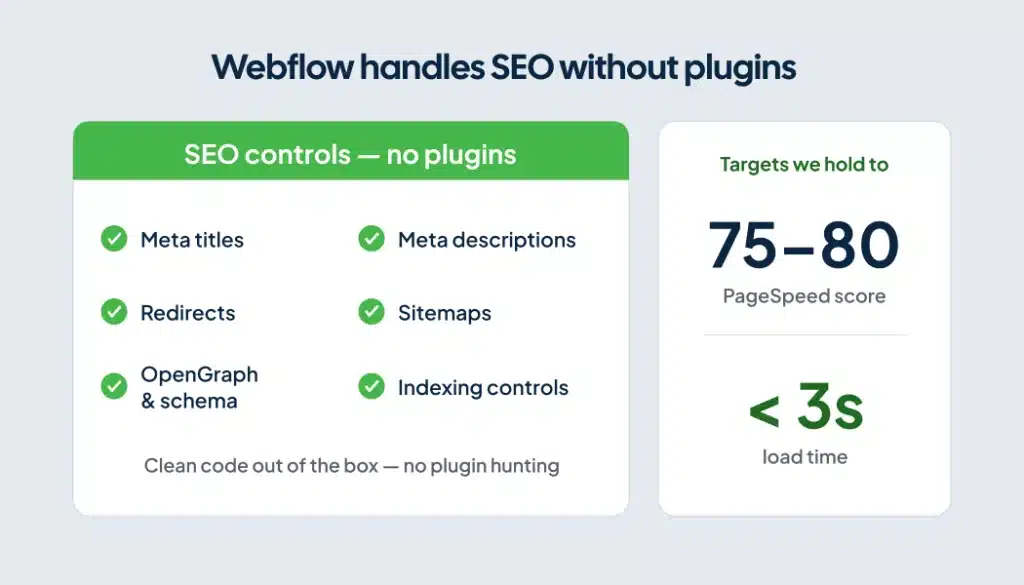
Meta titles and descriptions, redirects, sitemaps, opengraph, schema, and indexing all live in the platform. The code Webflow ships is clean, and sites load fast out of the box. You handle the basics without hunting for plugins, which is where WordPress SEO usually starts.
Speed still carries the most weight. A fast, cleanly built site earns the ranking. That is why we hold to a 75-to-80 PageSpeed target and a load under three seconds.
For the deeper version, read why Webflow is good for SEO. If you also care about showing up in AI answers, here is how we approach Webflow and AEO.
Is Webflow hard to use?
Webflow is harder to learn than a highly-restricted drag-and-drop builder like Wix or Squarespace. It rewards people who think like designers and understand how layouts work.
The payoff is control. Once you are past the curve, you build things the simpler tools cannot.
One caution before you commit. Webflow lets you build a messy back end if you are careless. A clean, organized back end is a choice you make, and keeping it clean is one of the real reasons to be on the platform.
Should you build it yourself or hire a Webflow agency?
You have three paths: build it yourself, hire a freelancer, or hire an agency. Each one trades money against time and risk.
If you hire help, vet them the way I would:
- Measure PageSpeed on sites they built, not on demos.
- Ask to see the back end of a real project. It should be organized and clean.
- Look for strong reviews from past clients.
Good work is consistent across all three. The front end loads fast and looks great, the back end stays organized, and past clients vouch for the results.
If you want a team that builds and markets only on Webflow, see whether we are the right fit.
Frequently asked questions
Is Webflow worth paying for?
Yes, for most teams that care about design and want to edit their own site. The paid plans buy hosting, security, and a CMS in one bill, with no plugins to maintain. A free Starter plan lets you test before you pay.
Is Webflow still relevant in 2026?
Yes. Webflow keeps adding capability, including AI credits in every Workspace and AEO agents on the new Team plan. More SaaS and B2B companies move onto it each year.
How much does Webflow cost?
After the May 2026 update, paid Site plans start at $15 per month for Basic billed yearly, and $25 per month for Premium billed yearly. Seats and add-ons stack on top, so check webflow.com/pricing for your full setup.
Is Webflow good for ecommerce?
For a simple store, it works fine. For a large catalog built mainly around selling many products, Shopify is the stronger pick right now.
Wix or Webflow, which is better?
Wix is easier for a non-technical owner who wants a quick site. Webflow gives more design control, a stronger CMS, and more room to scale, in exchange for a steeper learning curve.
Will AI replace Webflow developers?
Not soon. AI can generate a site, but that output is custom code your team cannot easily edit. The work is shifting toward structuring sites so people and AI can both maintain them, which is a skill of its own.
The bottom line
Webflow is worth it if you want a fast, beautiful, editable site and you care about design. You also need to clear the learning curve, or hire someone who has. It fits SaaS, B2B, and service businesses well.
It is not worth it for a large online store or a build that needs deep code-level control. It also does not fit a single-location business with no budget yet. For those, Shopify, WordPress, and your Google Business Profile are the better first moves.
We made the full switch to Webflow after years on WordPress, and I would make the same call again. If a site that ranks on Google and in AI search is what you are after, see if we are the right fit.