
Webflow gives you more native SEO control than most no-code builders. But that foundation alone will not earn strong Google rankings. A well-built Webflow site can still underperform if the keyword targeting is weak, the content misses search intent, or technical issues block crawling and indexing.
This guide covers the fundamentals that actually move the needle. You will learn how to improve your Webflow site for Google through better site structure, on-page SEO, technical setup, content planning, internal linking, schema implementation, and measurement.

Why Webflow SEO Matters
Webflow is a strong platform for SEO because it gives you direct control over page settings, clean code output, responsive design, and an XML sitemap. Those things matter because search engines need clear signals to crawl, render, index, and rank your pages.
But Webflow is not an SEO strategy. Rankings come from the decisions you make about search intent, content relevance, site structure, internal linking, and conversion paths.
The goal is simple: build a site that Google can access easily, understand clearly, and trust enough to show for the right searches.
That means optimizing for four things at once:
- Crawlability
- Indexing
- Relevance
- Conversion potential
What Webflow Does Well for SEO
Webflow handles many SEO fundamentals well out of the box. Its code output is cleaner than what many older site builders produce, which helps with rendering and crawlability.
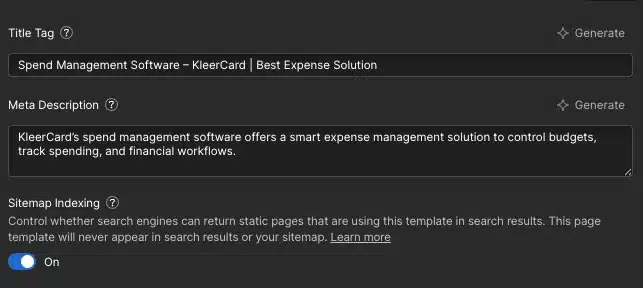
You can edit title tags, meta descriptions, URL slugs, canonical fields, image alt text, redirects, and Open Graph data without relying on a stack of plugins. That reduces maintenance overhead and removes a common source of technical problems.
Webflow also handles responsive design natively. Since mobile usability is part of how Google evaluates pages, that built-in flexibility has real SEO value.
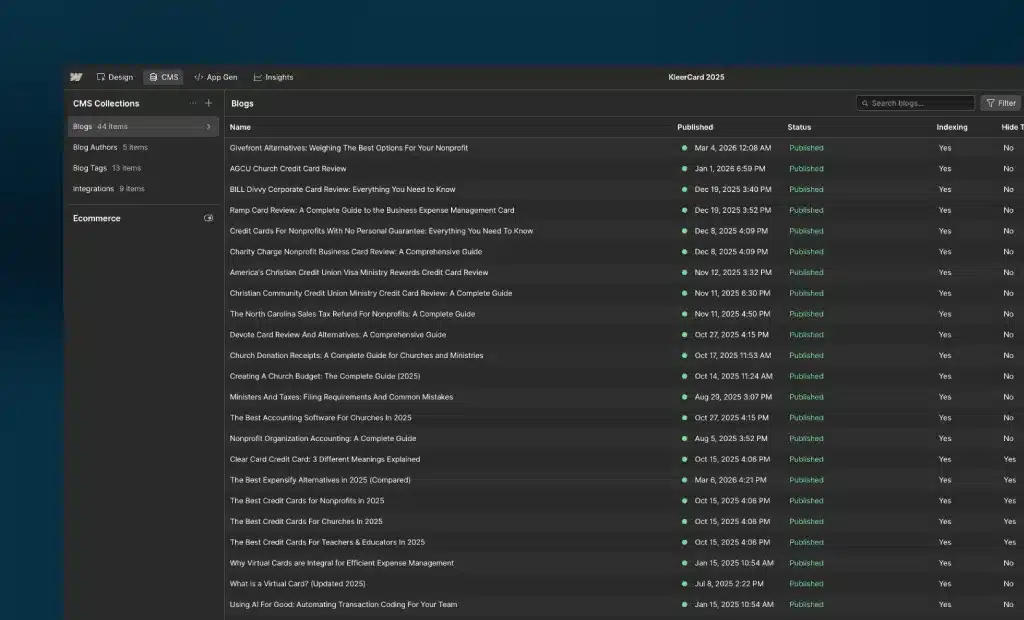
The CMS is another strength. With collections, you can build scalable templates for blog posts, case studies, landing pages, or resource hubs, while keeping SEO fields structured and consistent across every entry.
If you want a deeper platform-specific breakdown, this resource on optimizing a Webflow site for search visibility is a useful companion.
What Webflow Will Not Do for You
Webflow will not choose the right keywords for your business. It will not determine whether a page should target educational, commercial, or transactional intent. It will not write content, fix thin pages, or organize your site structure around how people actually search.
Those are strategic decisions. The platform is the foundation. What you build on top of it determines your results.
This also extends to AEO, or answer engine optimization. If you want your content to appear in AI-generated answers and rich results, your pages need clear structure, factual depth, and strong topical signals, not just clean metadata.
Start With Search Intent and Keyword Research
Most SEO problems start before anyone touches a title tag. They start when a page is built without a clear target query, or without understanding why someone is typing that query into Google.
Each important page on your site should target one primary keyword theme and a small set of related secondary terms. This keeps each page focused and reduces cannibalization across your site.
For blog and resource content, educational intent is usually where to start. For service pages, product pages, and landing pages, commercial intent matters more because those pages need to convert.
Keyword research should shape more than copy. It should influence headings, URL structure, internal linking, CMS collection architecture, and site navigation.
Use tools like Ahrefs and Semrush to evaluate:
- Search volume
- Ranking difficulty
- SERP features
- Search intent
- Related questions
- Competing pages
- Business value
Choose Keywords That Match Real Searches
Start with relevance. If the phrase does not match what you offer, ranking for it will not help, even if it drives traffic.
Look for terms with a clear connection to your service or expertise. Then weigh the competition level against your current authority and how much effort it would take to produce something better than what already ranks.
Business value matters too. A term with 150 monthly searches can be more valuable than one with 5,000 if the smaller term brings in visitors who are ready to act. Pay attention to the SERP. If Google is showing listicles and tutorials, the intent is informational. If results are service pages and pricing pages, the intent is commercial. Match that format instead of forcing the wrong content type into a space where Google prefers something different.
Build a Keyword Map for Your Webflow Site
A keyword map keeps your site organized before content starts overlapping. It is one of the simplest ways to prevent pages from competing against each other.
For each page, document:
- Primary keyword target
- Secondary terms
- Search intent
- Proposed title tag
- H1
- URL
- Internal link opportunities
- Conversion goal
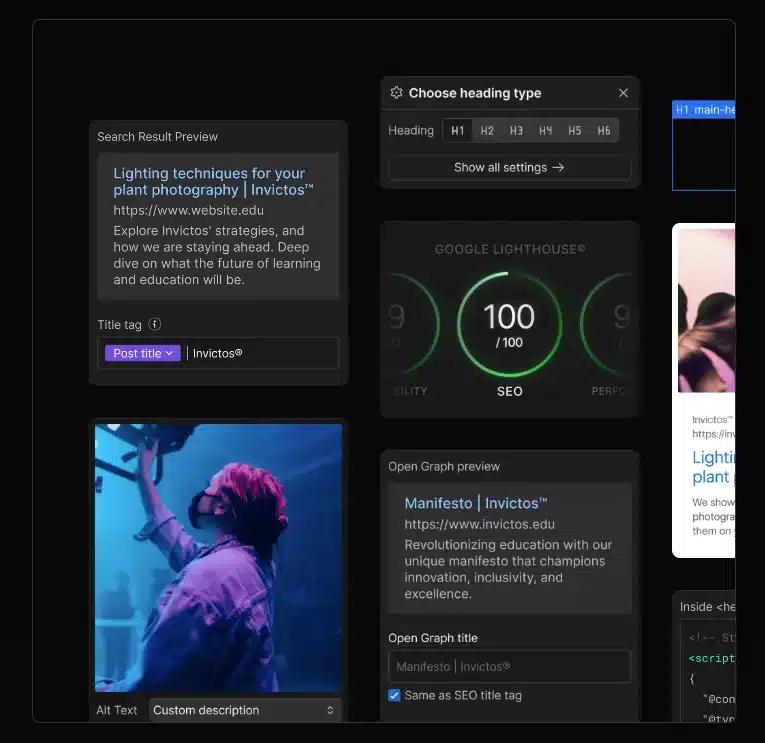
Your homepage should target your primary brand-plus-category theme, not every service variation at once. Service pages, landing pages, and blog posts should each have a distinct target. This is especially important with CMS collections, where teams often publish dozens of overlapping pages without realizing it.
Build an SEO-Friendly Site Structure in Webflow
A strong site structure helps users and search engines find what matters. It also makes internal linking easier, which improves how link equity flows across the site.
Keep important pages close to the homepage. If a high-value service page requires five clicks to reach, it is buried too deep.
Group content logically. Navigation should reflect how people search, not how your internal team thinks about departments. A clean structure usually looks like this:
- Homepage
- Core service or product pages
- Supporting industry or use-case pages
- Resource center or blog
- About and trust-building pages
- Contact or conversion pages
When using Webflow CMS, plan your collection architecture early. Poorly planned collections can create cluttered templates, duplicate content risks, and confusing URL paths.
Create Clean URLs and Navigation
Clean URLs are easier to understand at a glance and perform better when shared or shown in search results. Use short, descriptive slugs in plain language. Avoid filler words, random dates, and unnecessary parameters.
A URL like /services/webflow-seo tells both users and search engines exactly what the page is about. Something like /category/page-12-new-seo-offer does not.
Navigation should give the most weight to the pages that matter most. Use clear labels that match what users expect. Clever labels often reduce clarity.
Use Subdomains and Subdirectories Carefully
Subdomains can work, but they often fragment authority. When your blog sits on a separate subdomain, the SEO signals from that content may not strengthen your main domain the way they would from a subdirectory.
For most businesses, keeping blog and resource content in a subdirectory on the main domain is the cleaner, more effective choice. There are operational exceptions for large organizations, but do not split content just because it feels tidier.
Optimize Core On-Page Elements
On-page SEO is where strategy becomes visible. Every important URL should have a unique title tag, meta description, H1, supporting header tags, and body copy aligned with search intent.
Webflow makes this manageable through page settings and CMS fields. That means you can scale metadata across templates instead of editing every page one at a time. The goal is not to repeat exact-match phrases as often as possible. The goal is to make the topic unmistakably clear while keeping the copy readable and useful.
Write Better Title Tags and Meta Descriptions
Title tags are one of the strongest on-page signals. They help Google understand what a page covers and directly influence click-through rate when your result appears in search.
Lead with the page topic and make the value clear. Keep titles specific enough to stand out, but concise enough to display without being cut off.
A weak title tag:
- Services | Company Name
A stronger title tag:
- Webflow SEO Services for Faster Growth | Company Name
Meta descriptions are not a direct ranking factor, but they affect clicks. A well-written meta description reinforces relevance, sets expectations, and gives searchers a reason to choose your result. In Webflow, you can edit these in page settings for static pages and bind them dynamically for CMS templates.
Use Heading Tags and Body Copy Strategically
Each page should have one clear H1 that describes the topic naturally and supports the main keyword without sounding forced. Use H2 and H3 tags to organize subtopics around user questions and decision points.
Body copy should answer the main question early, then expand with examples, steps, comparisons, objections, and next actions. Avoid stuffing keywords into every sentence. Google is better at understanding context than many site owners assume, and awkward repetition weakens quality.
If you run an ecommerce brand, story also matters. Strong positioning can improve content relevance and conversions, which is why this piece on using brand story to shape an ecommerce site is worth reading alongside your SEO work.
Optimize Images and Media
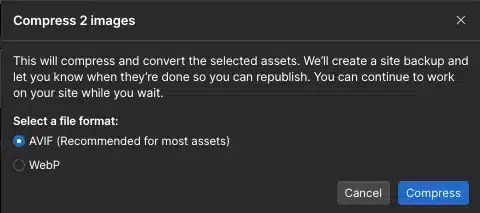
Oversized images are one of the most common causes of slow pages in Webflow. Compress images before uploading. Use dimensions that match the actual display size instead of uploading large files and scaling them down in the browser.
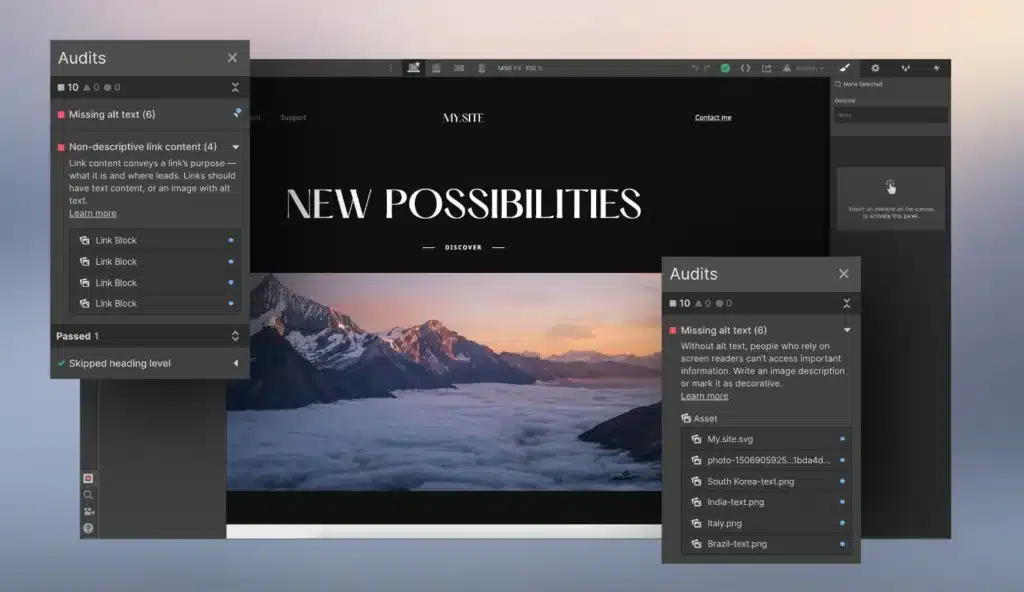
Use descriptive file names where practical. Write image alt text that reflects the purpose of the image and the context of the page. For decorative images, keep alt text minimal or empty. For product shots, diagrams, and process visuals, write alt text that aids both accessibility and topical clarity.
Video and animation can also affect performance. Use media intentionally, especially on mobile where loading constraints are tighter.
Strengthen Technical SEO Inside Webflow
Technical SEO makes your content accessible and understandable to search engines. Even excellent content can struggle if indexing controls are misconfigured, redirects are broken, or performance is poor.
Webflow covers many basics well, but you still need to audit how the site is configured. A technically clean site protects the value of everything else you build.
Check Indexing, Sitemap, and Robots Controls
Start by confirming that your important pages are indexable. Accidental noindex settings and blocked resources still cause significant visibility losses on otherwise strong sites.
Review your XML sitemap settings in Webflow and confirm the sitemap is enabled. Make sure the right URLs appear and that low-value pages are not cluttering it. Be careful with robots.txt rules. Blocking the wrong folder or asset can hurt crawlability and prevent proper rendering.
Pages to review closely include:
- Thin utility pages
- Duplicate CMS variants
- Internal search pages
- Staging or test content
- Thank-you pages
- Filtered or parameter-based URLs
Use Google Search Console to validate what Google can crawl and index. It is one of the fastest ways to catch indexing problems before they affect traffic.
Set Canonicals and Redirects Correctly
A canonical tag tells search engines which URL should be treated as the primary version when similar or duplicate content exists. This matters on CMS-driven sites where template variations can create unintended overlap.
When you change a URL slug, add a 301 redirect from the old address to the new one. This preserves link equity, protects existing backlinks, and prevents users from landing on broken pages. Redirects are especially important during redesigns, migrations, and CMS restructures. A clean relaunch can still tank organic traffic if old URLs are left orphaned.
Improve Site Speed and Mobile Performance
Page speed affects user experience, crawl efficiency, and conversion rates. It also connects directly to Core Web Vitals, which measure loading, interactivity, and visual stability.
Responsive design alone is not enough. A page can look fine on mobile and still perform poorly because of oversized images, heavy scripts, or layout bloat.
Common improvements include:
- Compressing images
- Removing unused scripts
- Limiting autoplay media
- Reducing animation overload
- Simplifying complex layouts
- Deferring non-critical assets
Test pages with PageSpeed Insights, Lighthouse, and Search Console reports. Start with the pages that matter most for traffic and revenue.
Security also matters because site trust affects user behavior and maintenance stability. If your team has not reviewed the basics recently, this guide on keeping a business website protected from hackers is a useful operational complement.
Create Content That Can Rank and Convert
Ranking content answers a real question better than competing pages. Converting content goes one step further and gives readers a clear next action. Those two goals should work together.
Use your CMS to build topic clusters around your main services, industries, or use cases. This creates a stronger content system than publishing disconnected blog posts with no strategic relationship to each other.
High-ranking content usually has four traits:
- Clear alignment with search intent
- Strong structure and readability
- Original value or perspective
- A clear connection to a next step
Structure Content for Relevance and Readability
Open with the problem or the answer, not a generic intro. Readers should know within seconds that the page matches what they came for. Then expand with steps, examples, pitfalls, comparisons, and decision guidance.
Use short paragraphs, clear subheads, lists, and internal links to related pages. That improves readability and helps users move through the site rather than bouncing after one page.
For visual-first businesses, your supporting pages matter too. A strong portfolio can attract links, improve trust, and raise conversion rates, which is why this article on making a portfolio site more effective fits naturally into a broader content strategy.
Support Topical Authority With Clusters
Topic clusters help Google understand that your site covers a subject in depth. They also help users move from general learning to specific solutions.
A cluster usually includes one main pillar page and several supporting articles linked around it. For example, a parent page on Webflow SEO could link to supporting articles on title tags, internal linking, schema, page speed, and CMS configuration.
This structure reinforces topical authority because the relationships between pages are clear. It also eliminates orphan pages by making every useful article part of a connected system.
Use Internal Linking and Schema to Add Context
Internal linking is one of the highest-leverage SEO tasks available to you. It improves discoverability, distributes authority, and clarifies page relationships. Unlike backlinks, you control it entirely.
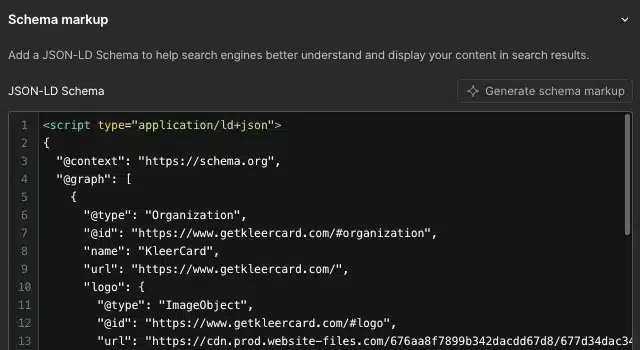
Structured data adds another layer of context. It helps search engines interpret what a page is, what entities it references, and whether it qualifies for rich results.
Build Intentional Internal Links
Link from high-authority pages to pages you want to rank. Use natural anchor text that describes the destination topic clearly without forcing exact-match phrasing.
A few internal linking rules that work well on most sites:
- Link from the homepage to priority sections
- Link from service pages to related proof pages
- Link from blog posts to service or category pages
- Link between related articles in the same topic cluster
- Update older pages to point to newer strategic content
Add the Right Schema Markup
Structured data helps search engines process page meaning more accurately. It can also improve eligibility for rich results, though it does not guarantee them.
Use schema types that match the page:
- Article for blog posts
- FAQPage for real FAQ sections
- HowTo for step-based tutorials
- Organization for company information
- BreadcrumbList for navigational context
Schema should reflect the visible content on the page. Do not add FAQPage schema if the page does not actually contain FAQs. This is also directly relevant for AEO. Clear structured data improves how your content is interpreted in AI-powered search interfaces, not just traditional results.
If traffic growth is part of your goal, this article on ways to attract more website visitors pairs well with internal linking and content planning work.
Measure Performance and Improve What Matters
SEO work without measurement turns into guesswork quickly. You need visibility data, behavior data, and business data to know what is working and where you are losing ground.
Track rankings, impressions, clicks, CTR, indexed pages, landing page performance, and conversions. Some pages rank but do not earn clicks. Others get traffic but fail to convert. Those are different problems and they require different fixes.
Set Up Essential SEO Tracking
At minimum, connect Google Search Console and Google Analytics. Search Console shows how your pages appear in Google, while Analytics shows what users do once they arrive.
Review these areas regularly:
- Query performance
- Landing pages
- Index coverage
- Mobile usability
- Core Web Vitals
- Conversion paths
- CTR by page
- Branded vs. non-branded traffic
Search Console is especially useful for finding pages that rank in positions 4 through 15. Those are often your fastest wins because they already have some visibility.
Prioritize Fixes With the Biggest Impact
A small set of pages and actions typically drives most of your results. Start with pages already ranking on page one or page two. Improve their title tags, strengthen content depth, add internal links, refine conversion paths, and fix any technical issues holding them back. This is almost always more effective than spreading effort evenly across every page. Focus beats volume.
Common Webflow SEO Mistakes to Avoid
Most Webflow SEO issues are preventable. They come from setup choices, not from a flaw in the platform. Teams often chase advanced tactics before fixing the basics. That leads to wasted effort and slower growth.
Mistakes in Page Setup and Content
Common content and on-page mistakes include:
- Duplicate title tags
- Missing or weak H1s
- Thin content
- Vague navigation labels
- Poor keyword targeting
- Weak internal linking
- Placeholder CMS copy
- No clear conversion path
Publishing large numbers of low-value CMS pages is especially risky. It can create index bloat and dilute the perceived quality of the entire site. Duplicate content is another recurring issue, often showing up when similar service pages are built with minor wording changes and no unique value.
Mistakes in Technical Configuration
Technical mistakes can suppress results even when your content is strong. Common examples include broken 301 redirect rules, missing canonical tags, blocked pages, oversized media, and script-heavy builds.
Keep a close eye on:
- robots.txt rules
- Sitemap accuracy
- Indexing status
- Page speed
- Core Web Vitals
- Canonical consistency
- Redirect chains
- Broken internal links
A Simple Webflow SEO Checklist to Follow
Good SEO is a repeatable process, not a one-time task. A consistent checklist keeps quality high as you publish new pages and update existing ones.
The sequence is consistent across most pages: define the keyword target, set the URL, write the title tag, create the H1, build useful content, optimize images, add internal links, apply structured data where relevant, and track performance after launch.
Pre-Publish Checklist
Before publishing any new page in Webflow:
- Confirm the primary keyword and search intent
- Check the URL slug for clarity and brevity
- Write a unique title tag
- Write a useful meta description
- Confirm one H1 is present
- Organize supporting sections with H2 and H3 tags
- Review body copy for depth and clarity
- Compress images
- Add image alt text where needed
- Add internal links to and from relevant pages
- Check canonical settings
- Confirm indexability
- Review Open Graph settings for sharing
- Test desktop and mobile layouts
- Check page speed on key templates
Post-Publish Checklist
After publishing, keep the process going:
- Request indexing if needed
- Confirm the page appears in the sitemap
- Monitor Search Console for coverage issues
- Watch impressions and CTR
- Add links from older relevant pages
- Improve underperforming titles and intros
- Expand sections that need more depth
- Refresh outdated examples and data
- Track conversions from organic visits
FAQ
How Do I Optimize My Website for Google SEO?
Start with keyword research and map each page to a clear search intent. Then improve title tags, headings, content quality, internal linking, and technical SEO issues like page speed, indexing, canonicals, and redirects. You also need content worth ranking. Strong pages, a clear site structure, and a good user experience do more for Google than metadata adjustments alone.
How to Optimize SEO on Webflow?
Use Webflow page settings and project settings to manage title tags, meta descriptions, URLs, canonicals, Open Graph data, sitemap settings, and redirects. Then strengthen on-page SEO, compress images, build internal linking, implement schema, and optimize for mobile across the site. Webflow gives you the controls. You still need to apply them with a clear strategy.
What Is the 80/20 Rule in SEO?
A small percentage of pages and actions typically drives most SEO results. Focus first on high-intent pages, strong existing rankings, and fixes that can improve clicks, rankings, or conversions quickly. For most sites, improving ten strategic pages produces more measurable value than lightly editing a hundred low-impact ones.
What Are the 3 C’s of SEO?
Content, code, and credibility. Content covers relevance, usefulness, and search intent alignment. Code covers technical SEO, crawlability, rendering, page speed, and structured markup. Credibility covers backlinks, internal linking, trust signals, and brand authority. All three have to work together.